|
Boutique
Templates
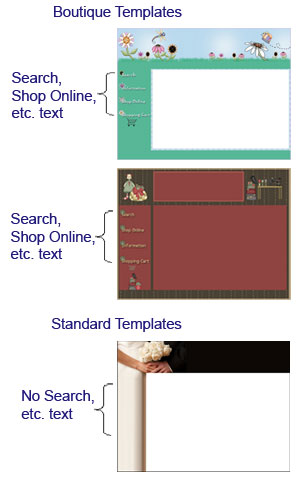
This section allows you to select a pre-made
Boutique Style Template. The boutique templates are different
from standard templates in that each boutique template has a
Search, Shop Online, Information, and Shopping Cart section
carved out on the template. The categories you have in your
Shopping Cart are listed under Shop Online. Note:
the only thing you can changes in these templates is the
title space. You cannot change any of the colors or the
background.
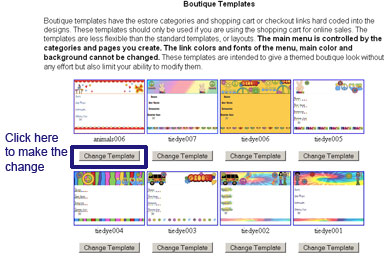
Find the template you like and click on the
"Change Template" button below the template. The look
of your website will change immediately but your content will not
change. To see the change, click on the Website Home icon at the
top; remember that you may need to refresh your page.
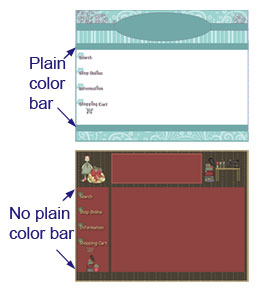
Some of the boutique templates list your
main menu links under the Information section only. Some, however,
also list your main menu links across the top and across the
bottom. To know which templates list the links across the top and
bottom, look for the templates that have a plain bar of color
going across.
After you select your boutique template,
you still need to:
Once you do the above, the look of your
website is complete.
|