|
Standard
Templates
This section allows you to select a pre-made
template. Find the template you like and click on the "Change
Template" button below the template. The look of your
website will change immediately but your content will not change.
To see the change, click on the Website Home icon at the top;
remember that you may need to refresh your page.
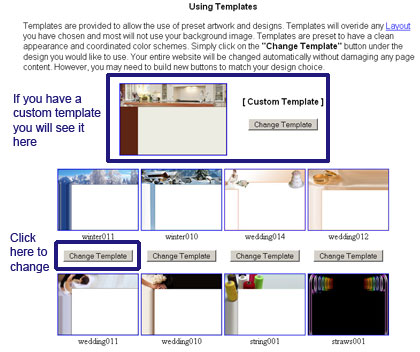
Each template comes with a title space and
button image that matches. You can change the background
on these templates to either a different color or an image. You cannot
change the inside color. Some of the templates place buttons on
the side while others have your buttons at the top.
After you select your template, you still
need to:
Once you do the above, the look of your
website is complete.
|